Never forget a song again.
Fret Not is a free iOS app for the songs you’re learning on guitar. Save each one’s chords, strumming, capo, and tuning, so it’s ready the moment you sit down to play.
Does this sound familiar?
Set up a song once, then just play
Save each song with its chords, capo, strumming and tuning, keep your every song you've learned in one place, and add new ones in seconds.
Add a song and it's chords
Search for the song on Spotify or add type it in. Then add the chords: type them in by hand for free, or let Fret Not Pro suggest them for you. It picks chords for your skill level, with the capo that keeps even a hard song in easy, open shapes.
Pro is $3.99 a month or $29.99 a year. Everything else in the app stays free. More about Pro
Every detail for a song, in one spot
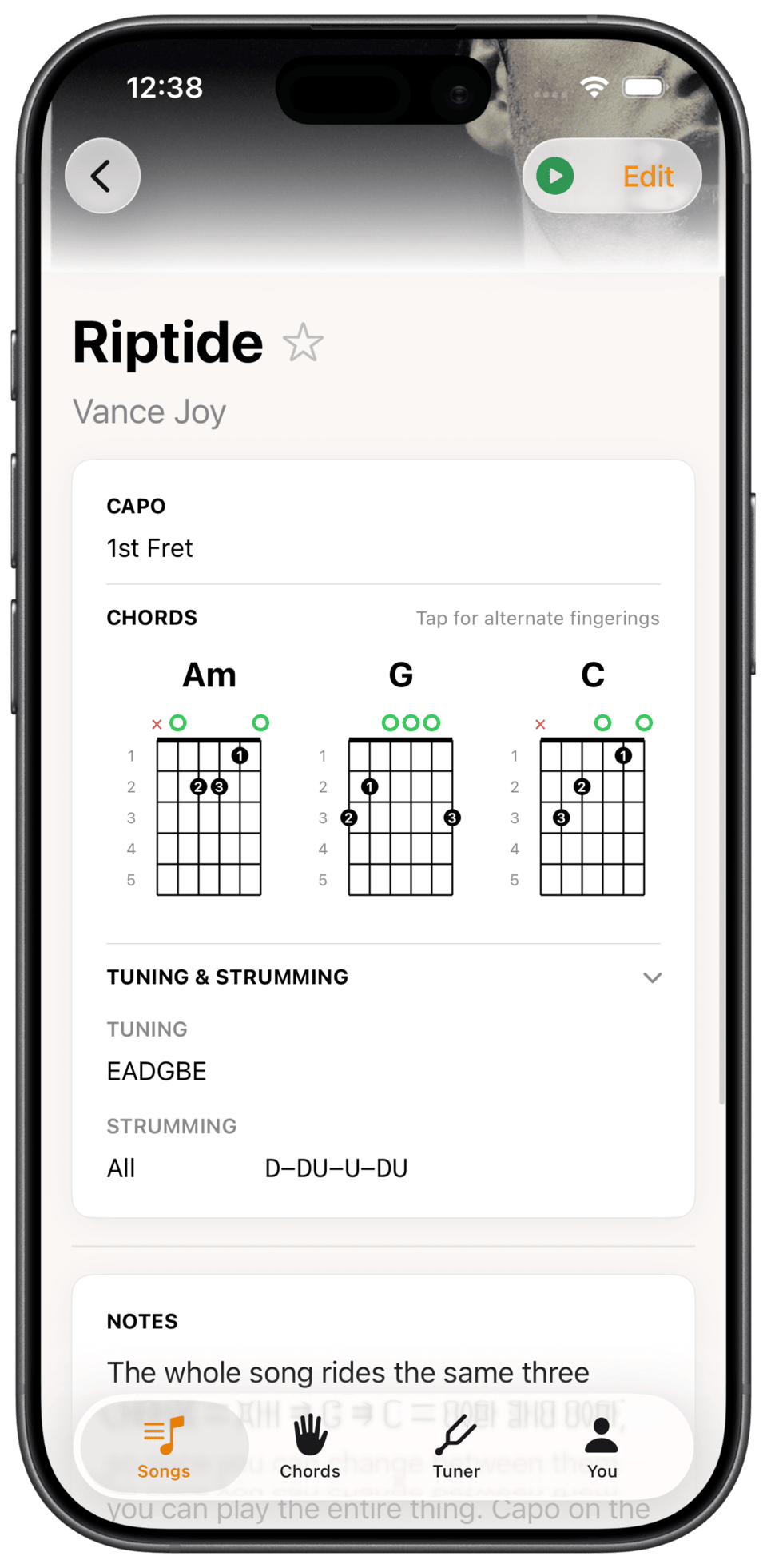
Chord shapes, strumming, capo, tuning, and a note about the bit that always trips you up. Play along to it with Spotify, and keep a link to the YouTube tutorial you learned it from. Open the song later and it’s all still there, instead of hunting the chords down again.
Every song you’ve learned, in front of you
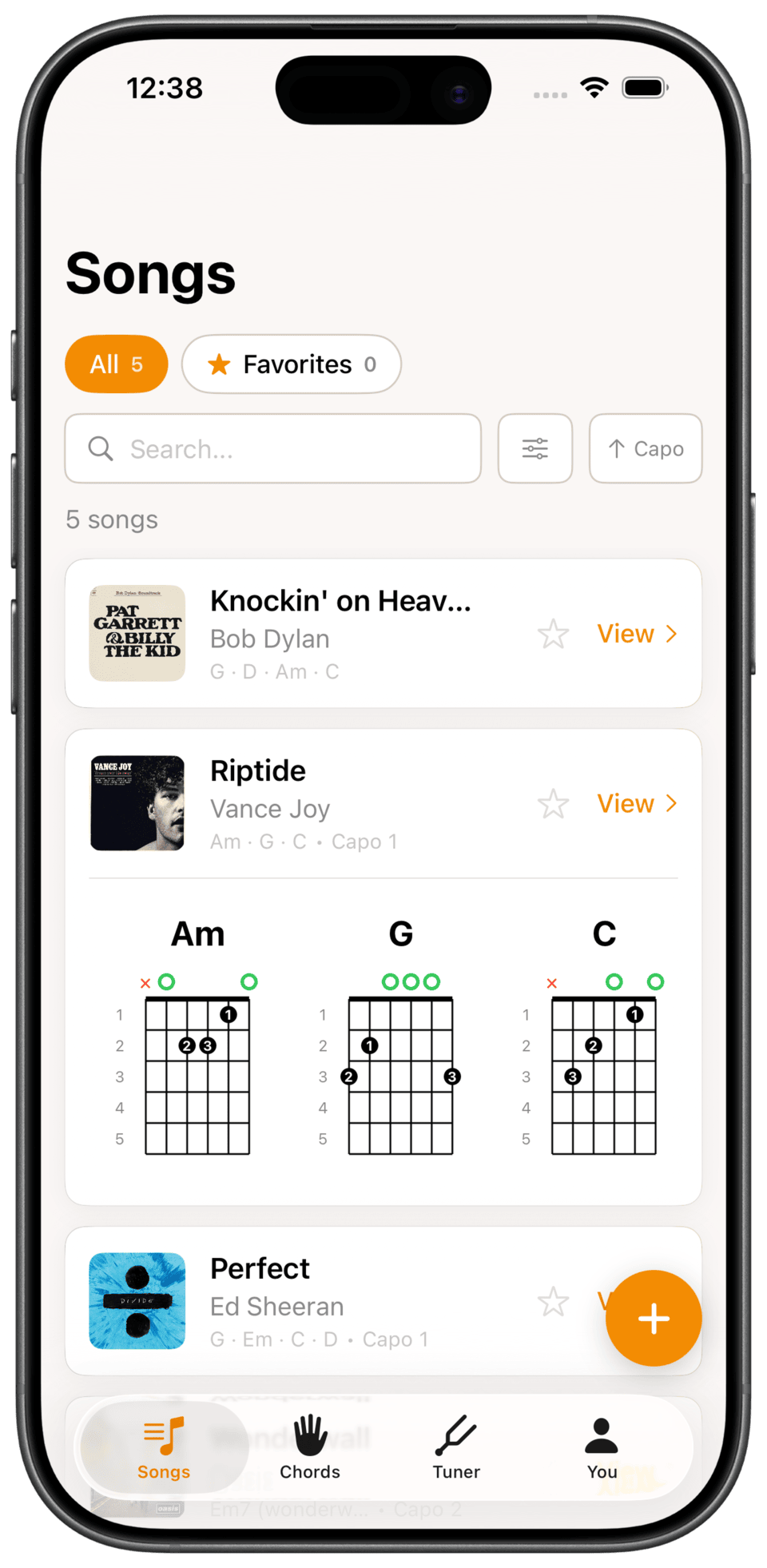
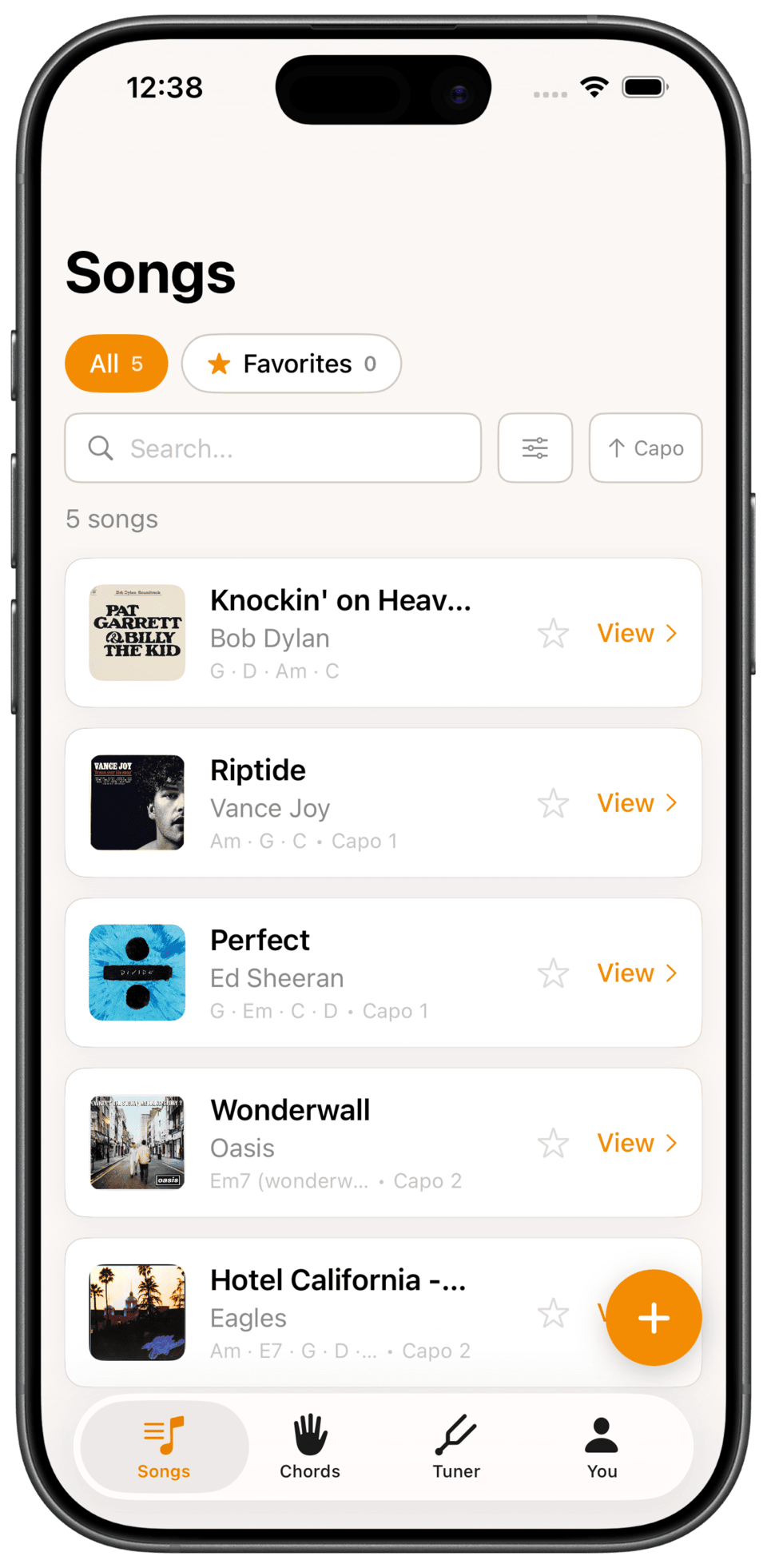
Open the app and your whole songbook is there. Peek at the chords for any song without leaving the list, or play it straight from Spotify and follow along.
The rest of what you get
A reference for every chord
Browse the full chord library any time, not just the chords in your songs. Every one comes with a picture of where your fingers go.
Chord identifier
Holding a shape you cannot name? Tap it onto the fretboard and Fret Not tells you what it is, then saves it to a song or your own library.
Built-in tuner
Real-time pitch detection, string by string, with alternate tunings supported. No second app to go and find.
Build a practice streak
Fret Not counts every day you play and keeps your streak alive, with a nudge the evening before you would break it. The habit is what carries you past those first months.
Import a Spotify playlist
Bring a whole playlist in at once and every song lands in your list, so you can fill your songbook in one go instead of one at a time.
iCloud sync, no account
Your songs follow you from iPhone to iPad through your own iCloud, so your songbook is the same on every device.
Questions, answered
What is Fret Not?
How do I add chords to a song?
Does Fret Not teach you to play?
How is Fret Not different from Songsterr and Ultimate Guitar?
Will it show me where to put my fingers?
What is Fret Not Pro?
Is there a free trial?
Can I cancel Pro?
If I cancel Pro, do I lose the chords it found?
How do you record strumming patterns for each song?
Does Fret Not support alternate tunings?
Can I add my own chord shapes?
Can I play the song while I practice?
Do guitar chord charts work offline?
Do I need an account?
Does it sync between my iPhone and iPad?
Does the tuner record me?
We want you to still be playing the guitar a year from now.
Fret Not helps you practice every song you've learned. Be the one in ten who sticks with it. Free on iPhone and iPad.
Download on the App Store